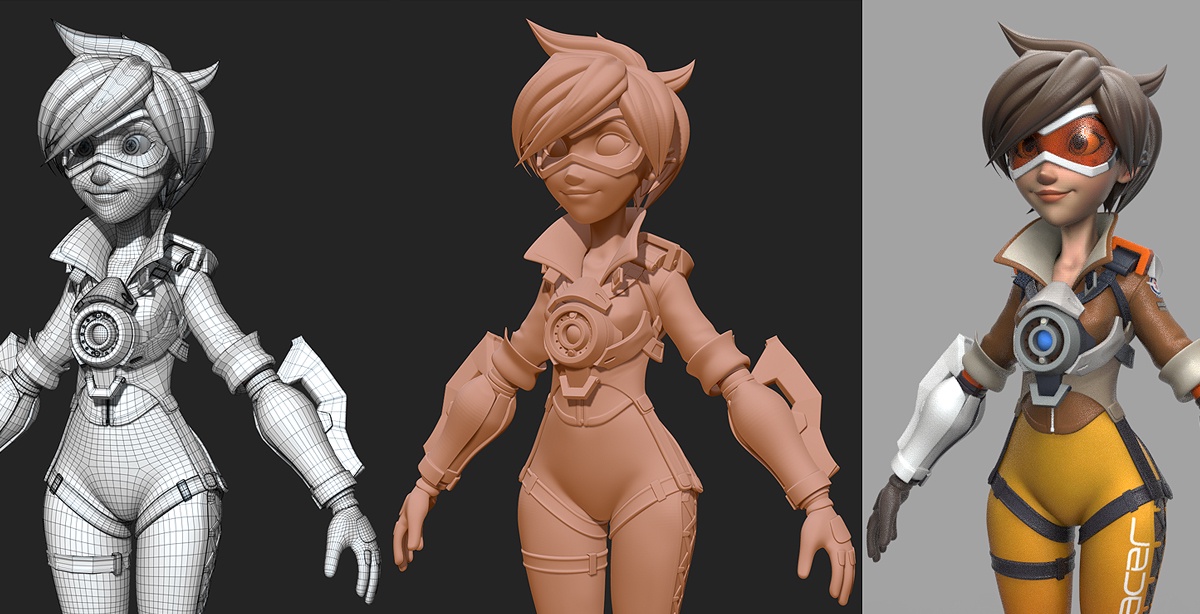
Intro to 3D Modeling
About this free Intro to 3D Modeling course
Intro to 3D Modeling is a free, hands-on 3D design and CAD (computer-aided design) course for middle and high school students. You'll learn to create, modify, and visualize 3D objects using two free, industry-relevant tools: Tinkercad for beginners and Onshape, the cloud-based, professional-grade CAD platform used in real engineering and design workflows.
You'll start in Tinkercad with the basics of 3D geometry, object manipulation, and simple prototyping through drag-and-drop modeling. As your confidence grows, you'll move to Onshape for parametric modeling, sketching, assemblies, and collaborative design. By the end, you'll have a portfolio of 3D models and understand the design process from concept to prototype. You'll be ready to bring your ideas to life with 3D printing or further engineering education.
Who this course is for
The course is designed for students in grades 6 through 12 with no prior design experience. You'll need a computer (a Chromebook works) and free Tinkercad and Onshape education accounts. A 3D printer is optional; everything can be completed on screen.
Course outline
- Introduction to design on Tinkercad. Navigating the workplane, placing and sizing shapes, and grouping and holes.
- Design Projects 1-3. Three Tinkercad projects that build skills in precise measurement, alignment, and combining shapes.
- Introduction to design on Onshape. Moving to professional CAD: sketches, constraints, dimensions, and extrudes.
- Design Projects 4-5. Parametric part design and building assemblies from multiple parts.
- Final project. Designing an original object from concept to a finished, printable 3D model.
What you'll learn
- Build 3D models by combining and cutting shapes in Tinkercad
- Create fully dimensioned parametric sketches and parts in Onshape
- Assemble multi-part designs and check how parts fit together
- Follow the engineering design process from idea to prototype
- Prepare a model for 3D printing and add it to a design portfolio
How long it takes
Plan on about 12 hours: roughly two hours per design project, including time to experiment. Onshape projects take longer than the Tinkercad ones, so give yourself extra time in the second half.
Frequently asked questions about Intro to 3D Modeling
Is Intro to 3D Modeling really free?
Yes. Intro to 3D Modeling is completely free, with no fees, subscriptions, or account required. STEM for Others is a 501(c)(3) nonprofit, and every course in our curriculum library is free for students, families, and teachers.
Do I need a 3D printer?
No. All of the design work happens in the browser. If you have access to a 3D printer at school or a library, you can export your models as STL files and print them.
Why learn both Tinkercad and Onshape?
Tinkercad makes the basics of 3D thinking easy, while Onshape teaches the parametric CAD skills engineers use in industry and in robotics competitions like FIRST. Learning both gives you a smooth path from beginner to advanced.
How do I start the course?
Click Begin Course at the top of this page to open the full slide deck, and use the companion video lessons on the STEM for Others YouTube channel when you want a walkthrough. Work through one unit at a time and try the practice questions before moving on.
Do I get a certificate?
The self-paced Intro to 3D Modeling materials don't include an official certificate. If you're taking the course through a STEM for Others chapter program, ask your chapter leader about recognizing your completion.
Can teachers and clubs use this curriculum?
Yes. Teachers, homeschool families, libraries, and after-school clubs are welcome to use the Intro to 3D Modeling materials with their students at no cost. STEM for Others volunteers also teach our curriculum in partner schools and libraries. You can find a chapter near you or start one at your school.
Related free courses